Kromwyrm |
 |
Dark Maelstrom flash games |
 |
Dark Maelstrom t-shirt designs |
 |
|
|||||||||
| How to add a Phantom Prim to a Collection. | |||||||||
| October 25, 2020 | |||||||||
| How to add a phantom prim to a collection of prims and have its property of | |||||||||
| being a phantom remain intact. | |||||||||
| ---------- | |||||||||
| In this example we wish to create a hatchway, like a port hole on the top | |||||||||
| deck of a ship. We wish to keep the hatch closed but allow any avatar | |||||||||
| to pass through it, while the hatch remains closed. | |||||||||
| For this we need the hatch to be a phantom prim attached | |||||||||
| to the rest of the ship's prims in the collection of prims. | |||||||||
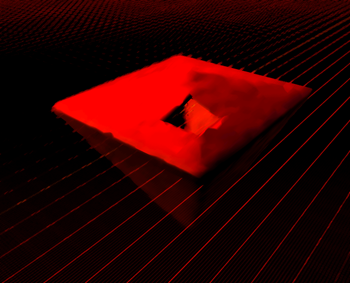
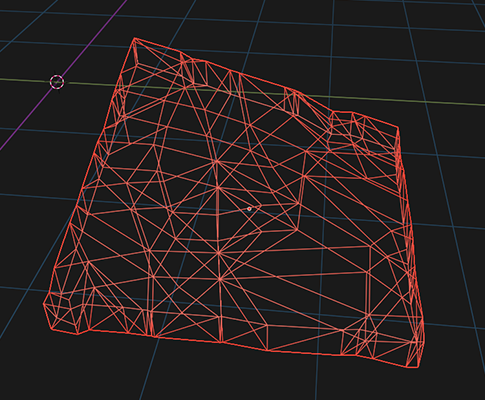
| First create the mesh for a square hatchway: | |||||||||
| |
|||||||||
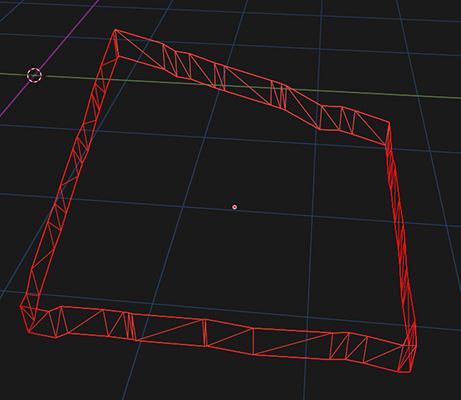
| Then create a second mesh which will act as the collision detection polygons for the mesh. | |||||||||
| Build this by removing the internal vertices to make a surrounding square. | |||||||||
| This will be used as the collision file in the "use from" selection, when importing the mesh into opensim. | |||||||||
| Since the internal polygons are missing, any avatar will be able to pass through it. | |||||||||
| |
|||||||||
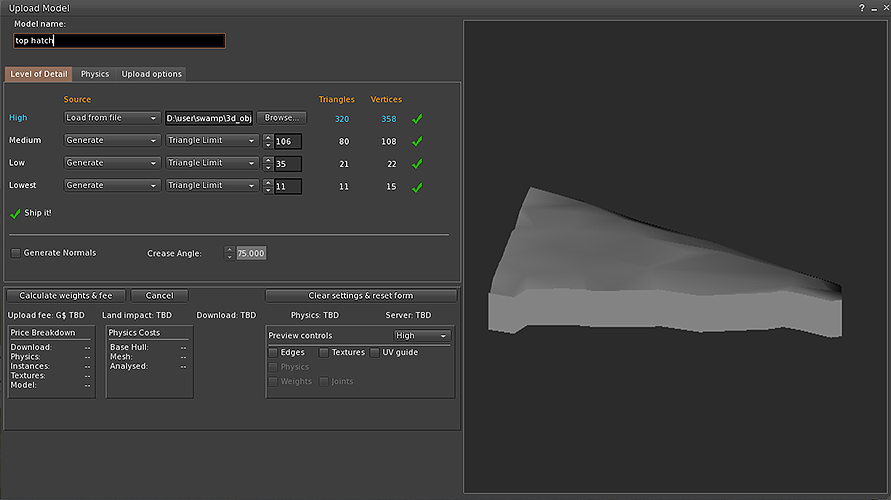
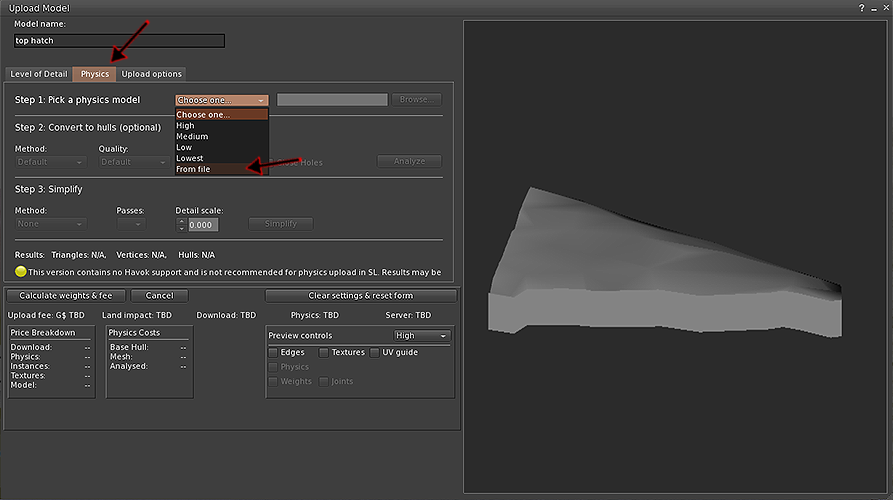
| Next, from within opensim, import the full mesh of the hatchway: | |||||||||
|
|||||||||
| Within the "Physics" tab select a physics model "from file". | |||||||||
|
|||||||||
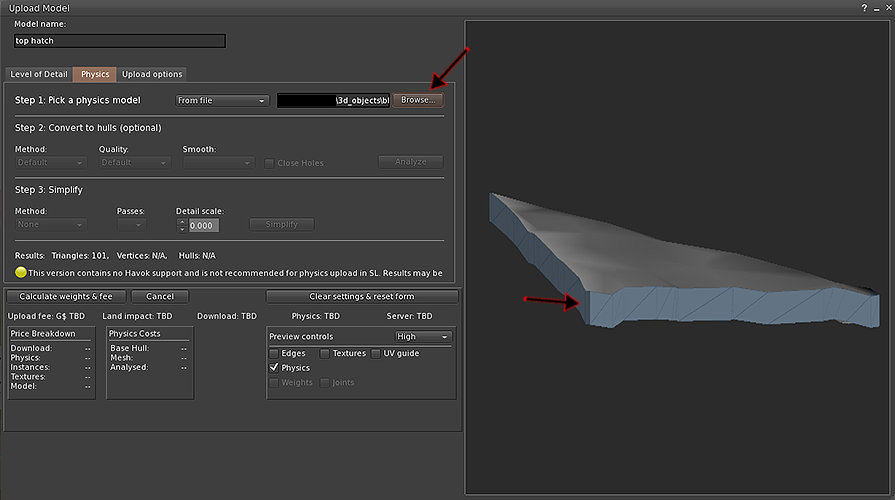
| Browse for the file of the surrounding square mesh, created earlier: | |||||||||
| The blue tint on the polygons shows that only the edge of the hatch will be used for colliision detection. | |||||||||
|
|||||||||
| For the above to work, we have noticed, that the collision mesh needs to be at the outer edges of the overall mesh. | |||||||||
| Otherwise, the uploaded meshes will not line up. | |||||||||
| ---------- | |||||||||
| back | |||||||||
|
|||||||||